
Premium Report - Refund Line Items & Physical Returns
Refund Line Items & Physical Returns
A Refund Line Item Report is used to see which Line Items are being refunded at your store.
This report breaks out the individual line items on your order and provides certain details so you can look for certain patterns.
This can often be used in conjunction with the Physical Returns report, which looks at which items have been physically restocked at your store.
As Premium Reports, these are available on all Paid Plans of Report Toaster. If you aren't signed up, follow these steps here to upgrade your account.
Let's look at these one at a time, starting with the Refund Line Items report:
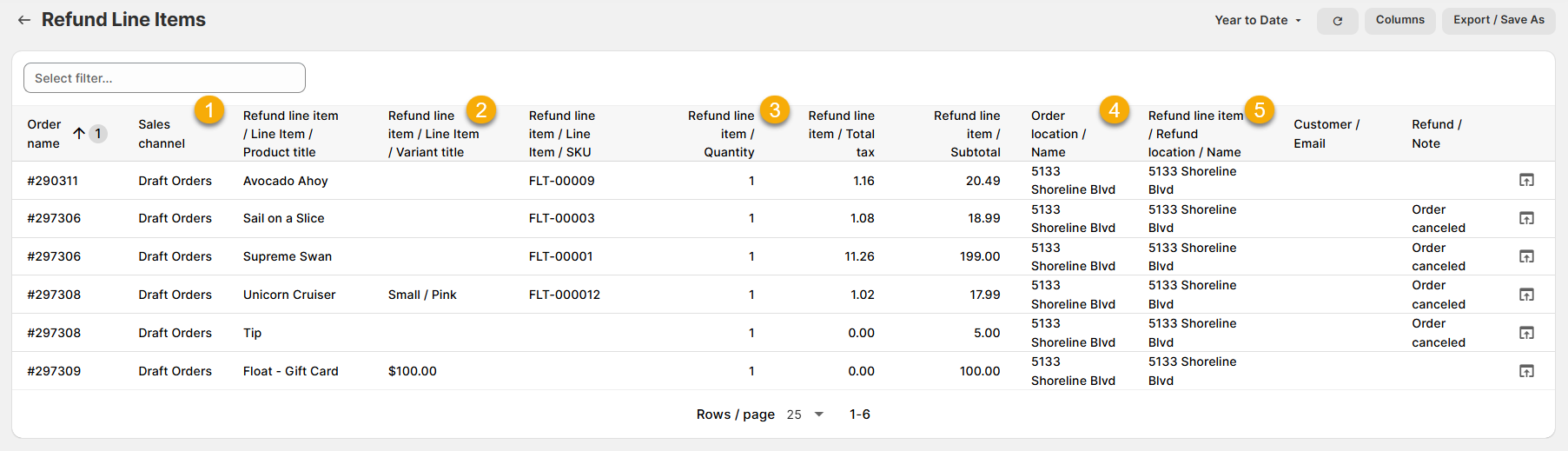
(click image to enlarge)
Here are a few terms to be familiar with in order to understand the Refund Line Items report:
1.) Sales Channel: The Sales Channel for the original Order.
For example, if Order #297308 was inputted by my staff directly in Shopify, the Sales Channel would say Draft Orders
2.) Refund/Line Item - Product Title/Variant Title/SKU: The product title, variant title and SKU for the line item that was refunded.
For example, if my Unicorn Cruiser, Small/Pink, FLT-000012 was refunded, then these details would appear in each of the respective columns.
3.) Refund/Line Item Quantity: The quantity of each line item that was refunded.
For example, if 1 of the Unicorn Cruiser were refunded on that order, then 1 would appear in the field.
4.) Order Location/Name: The location name of where the Order was originally purchased.
This is usually blank unless the sale took place at a physical location (e.g. Sales Channel is Point of Sale or Draft Orders).
For example, if Order #297308 was inputted by my staff at the retail location, then 5133 Shoreline Blvd would appear in the field. Had it been purchased through the Online Store sales channel, the field would be blank.
5.) Refund Line Item/Refund Location/Name: The location name of where the individual line item was refunded.
This is usually blank unless the sale took place at a physical location (e.g. Sales Channel is Point of Sale or Draft Orders).
For example, if the refund on Order #297308 was handled at my retail location, then 5133 Shoreline Blvd would appear in the field.
Now let's look at the Physical Returns report:
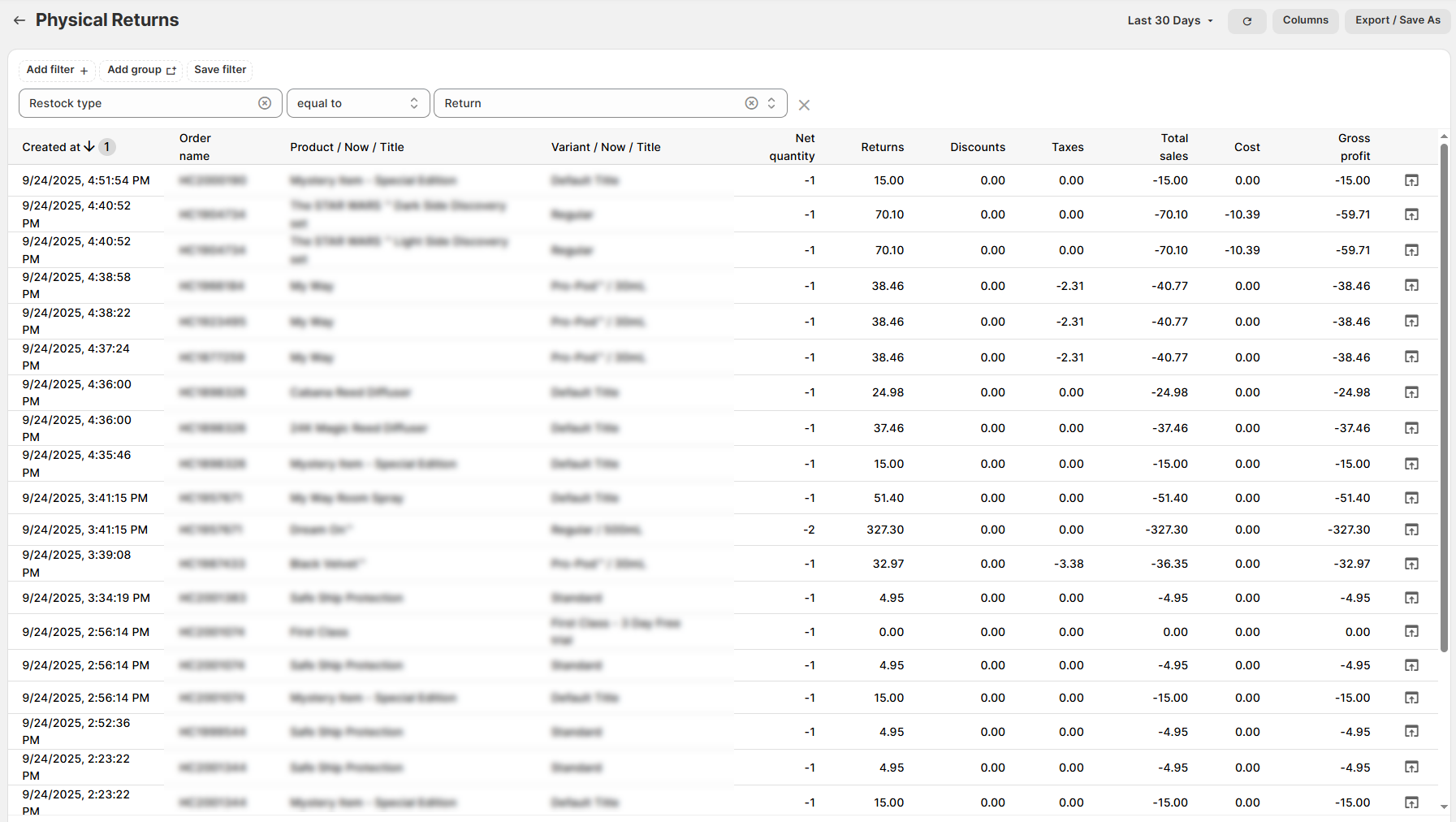
(click image to enlarge)
This one by comparison is fairly self-explanatory, detailing the order name, productsm and all the associated sales numbers (Returns, Discounts, Taxes, etc).
Note - The filter at the top limits this to displaying only items that have been marked Restock Type - Return. You will want to leave this alone for the report to function correctly.
Like all Report Toaster reports, these reports are fully customizable - so you can adjust the date range, add/remove columns, introduce a filter or change the sort to suit your individual needs. See our basic guides here for more info.
For other premium reports that can be added to your account, check out our main list here.